Looking for the AppLock APK Latest Version for Android? AppLock is a popular privacy tool that helps users protect personal apps and private information.
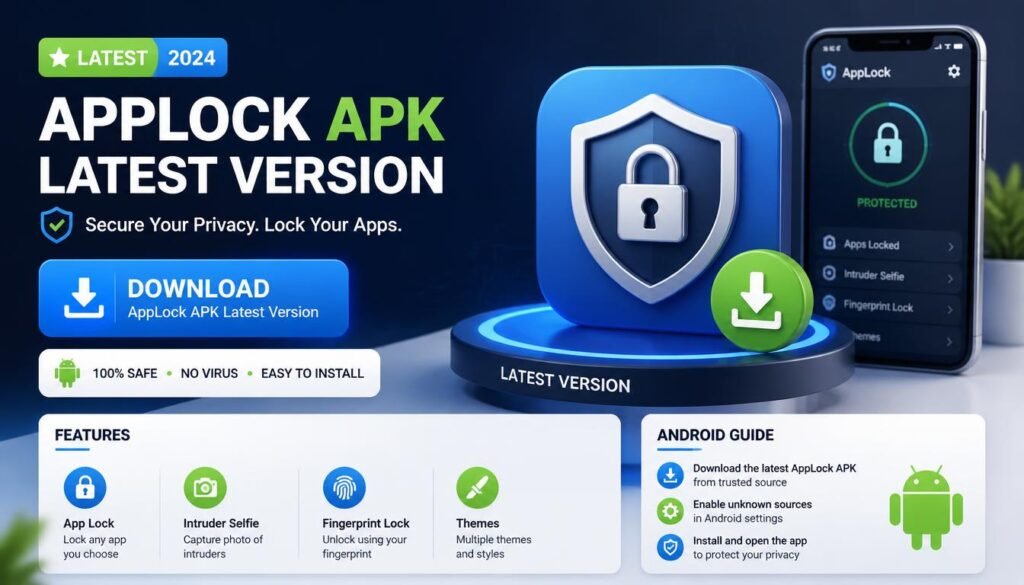
With AppLock, you can lock apps with a PIN, pattern, or biometric method. You can also protect sensitive apps such as WhatsApp, Gallery, Messages, and social media.
However, many apps use the AppLock name. Therefore, checking the developer and package name is important before installing an APK.
In this guide, we cover the latest version, features, Android requirements, installation steps, and safety tips.
What Is AppLock?
AppLock is an Android privacy application that protects selected apps from unwanted access.
For example, you can lock your messaging app so other people cannot open it. You can also protect your photos, social media, email, and other private applications.
One widely distributed AppLock comes from PIPS Tech. Google Play currently shows the app updated on July 30, 2026.
Therefore, users should check the developer before downloading an APK.
AppLock APK Latest Version
The current PIPS Tech AppLock release appears as version 6.3.3.
APKMirror lists AppLock 6.3.3 with an August 10, 2026 upload date. The listed package is com.domobile.applockwatcher, and the release supports Android 7.0 or newer.
APKPure also lists 6.3.3in for the related com.domobile.applock.ind package. It shows Android 7.0+ support and a July 30, 2026 update.
Because AppLock has multiple packages and listings, always match the version with the correct developer.
AppLock Latest Version Features
AppLock focuses on simple privacy protection.
Depending on the version, users can access features such as:
- App locking
- PIN protection
- Pattern protection
- Fingerprint support
- Privacy protection
- Custom lock screens
- Theme options
- Intruder protection
- Notification protection
- Private media protection
The exact features can vary between AppLock versions.
Therefore, check the app listing before installing a specific build.
Lock Apps With AppLock
The main purpose of AppLock is straightforward.
First, select the apps you want to protect. Next, choose your preferred security method.
You can then require authentication before someone opens those apps.
For example, you might lock:
- Messenger
- Gallery
- Gmail
- Messages
- Photos
- File Manager
- Settings
This setup can add another layer of privacy when someone else uses your phone.
AppLock Fingerprint Support
Fingerprint protection makes unlocking faster on compatible devices.
Instead of typing a PIN every time, you can use your phone’s biometric sensor.
However, fingerprint availability depends on your Android device and the specific AppLock version.
If your phone does not support fingerprint authentication, you can normally use another lock method supported by the app.
AppLock Android Requirements
The latest PIPS Tech AppLock 6.3.3 listing on APKMirror requires Android 7.0 or newer.
Therefore, older Android phones may not support the latest release.
Before installing an APK, check your Android version.
You can do this from your phone’s Settings > About Phone section. The exact menu name may vary by manufacturer.
How to Download AppLock APK
If you want the APK version, start by identifying the correct AppLock application.
Step 1: Check the Developer
Look for the developer name first.
The current Google Play listing identifies PIPS TECHNOLOGY PTE. LTD. as the developer.
Step 2: Check the Package
Next, compare the package name with the version you want.
Different AppLock builds can use different package names. Therefore, this step can prevent accidental installation of another app.
Step 3: Check the Version
Look for version 6.3.3 when targeting the current PIPS Tech release.
Also, compare the update date with a trusted listing.
Step 4: Install the APK
After downloading a legitimate APK, open the file and follow Android’s installation instructions.
Only install files from sources you trust.
How to Install AppLock on Android
Google Play provides the simplest installation method.
Open Google Play and search for AppLock.
Next, check the developer name and app details.
Then, tap Install.
After installation, open AppLock and create your security method.
Finally, select the apps you want to protect.
This method also makes future updates easier.
AppLock Permissions
AppLock needs access to certain Android functions so it can detect protected apps and show its lock screen.
The current Google Play listing says the app uses Accessibility Service to monitor foreground apps.
Therefore, users should understand the permissions before installing the application.
Do not grant unrelated permissions without checking why the app needs them.
Is AppLock APK Safe?
Safety depends on the exact APK and its source.
A verified store version provides stronger source confidence than a random APK file.
Moreover, modified APKs can create additional risks. They may contain changes that the original developer did not make.
Therefore, avoid “premium unlocked” or heavily modified AppLock files from unknown websites.
Instead, use the official store listing whenever possible.
AppLock 6.3.3 Update
The current 6.3.3 release focuses on optimization and experience improvements.
APKMirror lists the release as 6.3.3, while APKPure reports the related 6.3.3in package.
This difference shows why users should not search only by version number.
Always check the package name and developer too.
AppLock Not Working
Sometimes AppLock may stop protecting an application correctly.
First, restart your phone.
Next, open AppLock and check its permissions.
Then, confirm that the required Android services remain enabled.
Also, check whether another security or battery-management feature is interfering with AppLock.
If you installed an old APK, consider updating to the latest compatible version.
AppLock vs Phone Security
AppLock adds app-level protection. However, it should not replace your phone’s main security.
Always use a strong device password or PIN.
Also, enable fingerprint or face authentication if your phone supports it.
Keep Android updated as well.
These steps provide broader protection than relying on one app.
Should You Use an Old AppLock APK?
Older versions can help users with older Android devices. However, they may lack newer fixes and improvements.
For example, the current PIPS Tech release has moved beyond older 2025 builds. APKMirror lists previous versions such as 6.1.0 and 6.0.3.
Therefore, use an old version only when you have a specific compatibility reason.
Otherwise, choose the latest compatible release.
AppLock APK Latest Version for Android
For users searching for the AppLock APK Latest Version, the current PIPS Tech release is 6.3.3 based on the latest listings checked.
It supports Android 7.0 and newer.
However, AppLock has multiple listings and packages.
So, do not install a file simply because its name says “AppLock Latest Version.”
Check the developer, package name, Android requirement, and source first.
Final Verdict
The AppLock APK Latest Version currently available from PIPS Tech is 6.3.3 in the latest APK listings checked.
The release supports Android 7.0 or newer.
AppLock can protect private applications with different security methods. However, users should pay attention to permissions and APK sources.
For the safest experience, use the verified Google Play listing. If you need an APK, choose a trusted source and verify the package before installation.
Most importantly, avoid modified files that promise unlocked premium features from unknown publishers.
FAQs About AppLock APK Latest Version
1. What is the latest AppLock version?
The latest PIPS Tech AppLock release found in current listings is version 6.3.3.
2. Does AppLock support Android 7?
Yes. AppLock 6.3.3 requires Android 7.0 or newer according to the APKMirror listing.
3. Can AppLock protect WhatsApp?
Yes. AppLock can be used to protect messaging and social media applications, depending on the Android version and app configuration.
4. Does AppLock support fingerprint unlocking?
Compatible AppLock versions can support biometric authentication when the Android device provides the required hardware and permissions.
5. Should I download a modified AppLock APK?
It is better to avoid unknown modified APKs. Use the verified developer version whenever possible to reduce security and compatibility risks.